Doładowanie cykliczne
w Plus na Kartę
Zapomnij o pamiętaniu o doładowaniach
Jak to działa?
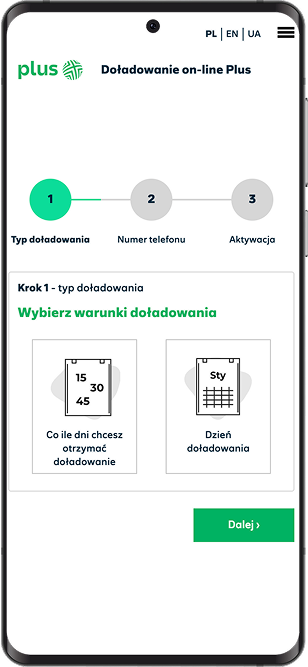
Doładowania cykliczne to usługa, dzięki której Twój telefon będzie się samodzielnie doładowywał wybraną przez Ciebie kwotą co określoną liczbę dni lub wybranego dnia miesiąca przez pobieranie jej ze wskazanej karty płatniczej lub ustawiając płatność powtarzalną BLIK.
Włączysz usługę na stronie doładowań. W dowolnej chwili możesz zmienić kwotę i datę doładowań lub wyłączyć usługę (w przypadku płatności BLIK - wyłączysz ją w aplikacji swojego banku).
Za obsługę i bezpieczeństwo płatności odpowiada Autopay S.A. - polski operator płatności.

Dlaczego warto?
Bez konieczności pilnowania doładowań
Zawsze ważne konto (wydłużane doładowaniami)
Sam wybierasz za ile i jak często doładowujesz
Kwota cyklicznie pobierana z konta bankowego


Jak włączyć doładowanie cykliczne?
- Zaloguj się na swoje konto iPlus (lub zarejestruj, jeśli jeszcze go nie masz).
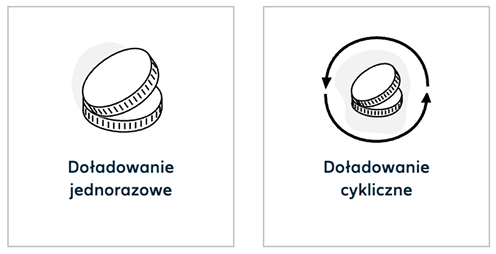
- Wybierz Doładuj online > typ doładowania: cykliczne.
- Określ częstotliwość oraz kwotę doładowań.
- Podaj numer telefonu który chcesz doładować oraz nazwij kontakt. Kontakty to lista numerów które doładowujesz. Znajdziesz ją w górnym menu na doladuj.plus.pl po zalogowaniu.
- Zaakceptuj regulamin usługi.
- Wybierz metodę płatności i potwierdź pierwszą płatność.
Gotowe!
Doładowanie będzie realizowane automatycznie w następnych miesiącach.
Po każdy doładowaniu otrzymasz powiadomienie SMS.
Jeśli zabraknie Ci środków na koncie bankowym powiadomimy Cię o tym mailowo.
Doładowanie cykliczne nie działa?
Skontaktuj się z BOK pod nr 601102601 lub drogą mailową pod adresem doladowania@autopay.pl.